Supercharge your slides with Caktus AI

Make presentations in minutes with AI

Caktus AI presentation maker

Generate AI presentations and edit slides with AI. Try the best AI presentation maker for Google Slides and PowerPoint for free.

Create with Caktus AI

Start from a prompt
Describe your presentation in a few sentences, or use one of our presets.
Learn more
Upload a file
PDF, Word document (.docx), PowerPoint (.pptx), or text file.
Learn more
Use any language
Plus can read, write, and translate nearly any language.
Learn more

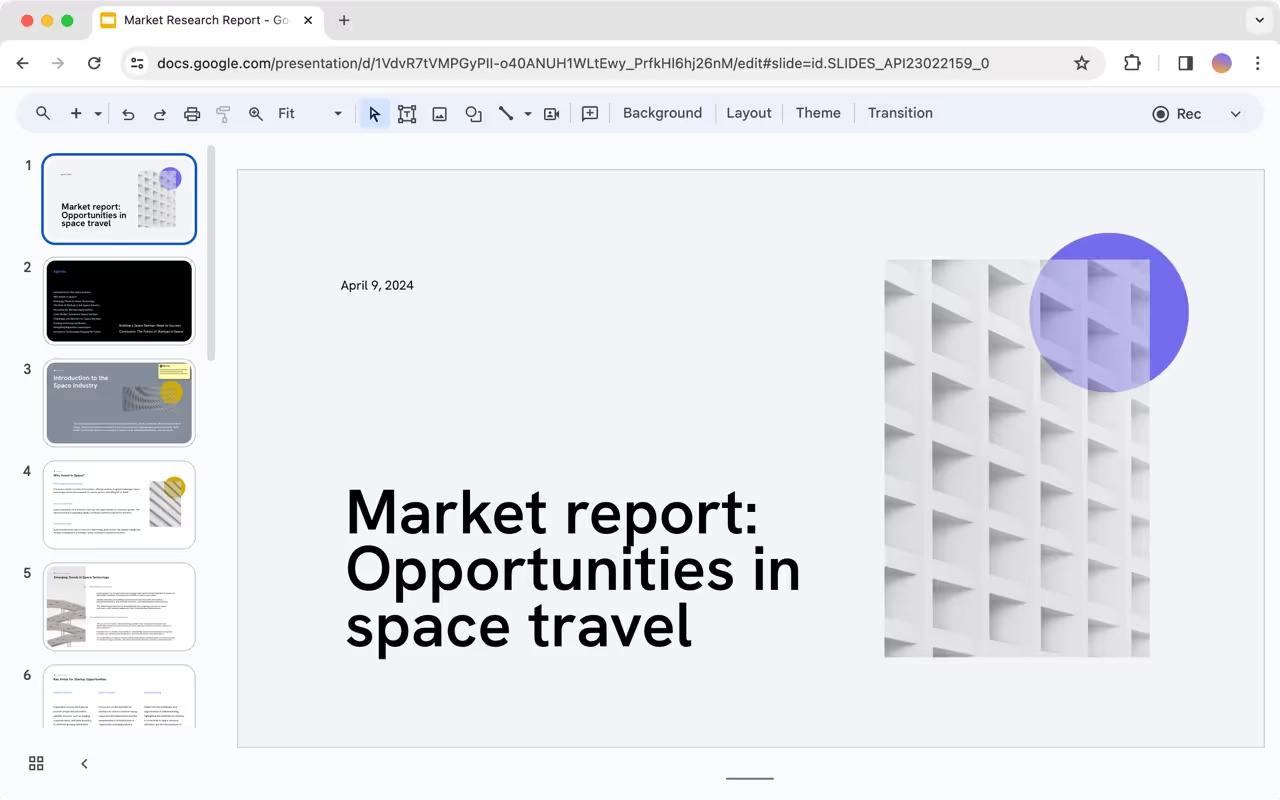
Work directly in Google Slides and PowerPoint

You don't need yet another app for presentations.
Plus works where you do, so you can create and edit presentations directly in Google Slides and PowerPoint.
Everything you generate with Plus is yours forever.

Edit with the help of AI

Refine your draft with powerful AI editing tools
Learn more
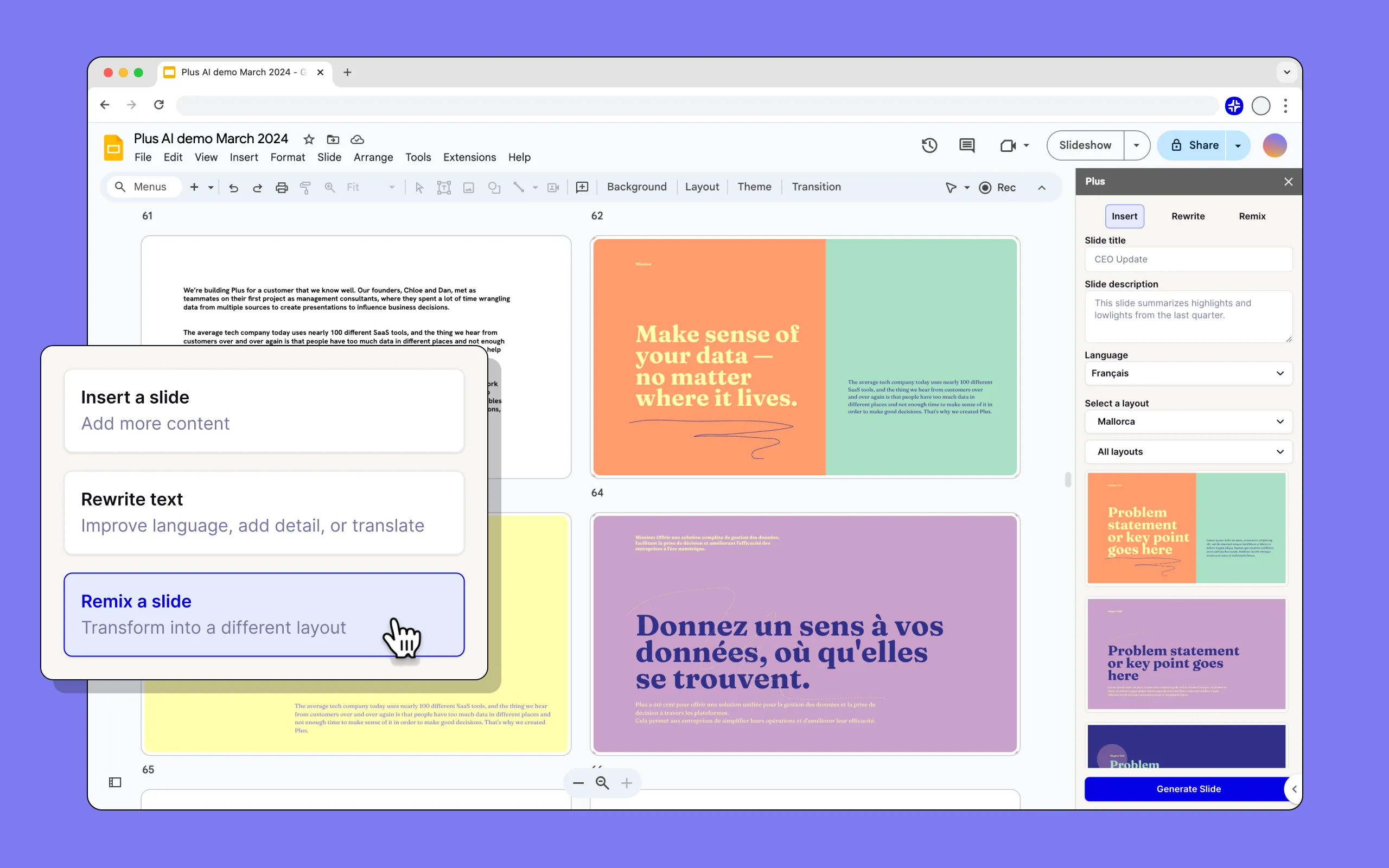
Insert
Add more slides and choose exactly what you need from our hundreds of layouts.
Rewrite
Elaborate, summarize, or improve phrasing and tone. Translate into any language.
Remix
Transform any slide — even a blob of text — into a specific format of your choosing.
Custom instructions
Save important context for Plus to remember when generating content.
Preset library
Save frequently used prompts, like client proposals or company updates.
Export
Export directly from Google Slides as a PowerPoint, PDF, and more.

Beautiful templates to get you started

Handcrafted designs, AI enabled.

Our templates and designs are fully compatible with our entire suite of AI tools, so you can generate, edit, and reformat using AI.
Explore templates

Make it yours with custom branding

Set up custom branding with Plus for Teams
Customize fonts and colors
Upload your logo
Learn more
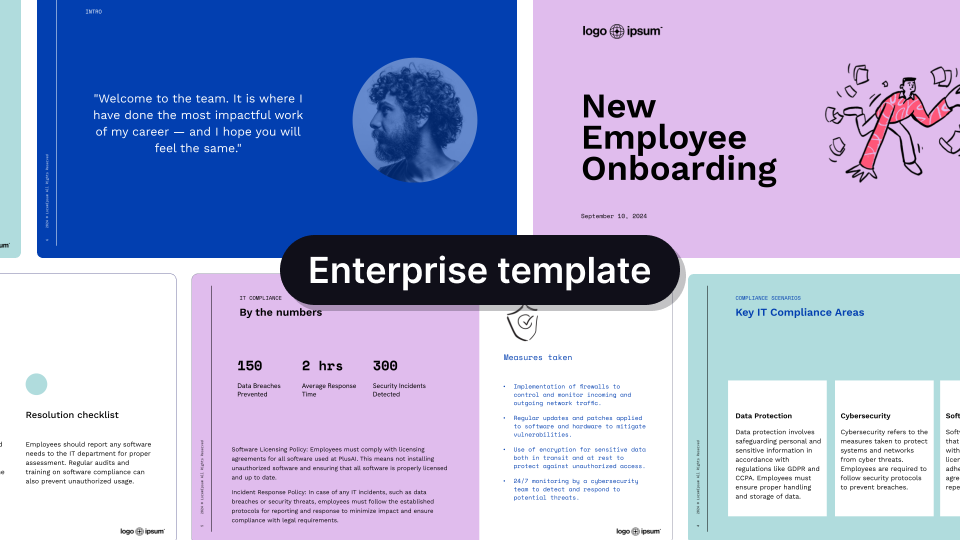
Use your own template with Plus for Enterprise
Convert existing templates
Custom layouts and assets
Get a demo

Get a sample AI presentation

Spend more time selling
Pitch decks and proposal decks
Spend more time building your business and less time making slides.
Get a pitch deck
Focus on teaching, not slides
Webinars and training decks
Create online courses, training materials, and other educational content.
Get a webinar deck
Get a personal business analyst
Strategy and research reports
Let our AI develop the first draft of your next strategy or research presentation.
Get a research report
Empowering content creators at companies big and small.

What our users say

Hands down the best AI presentation maker on the market when it comes to Google Slides. I can generate entire presentations from a prompt, or I can turn text into slides.
I'm particularly impressed by the "Remix" feature that reformats existing slides into new layouts.

‍Love this feature Great work👍
Caktus AI created a great structure and talking points for my presentation. I really like the tips on each slide to help me choose images or expand on a point. This tool is now in my arsenal!
The integration into Google Slides is seamless. It feels like something that should have been there all along!

5/5 stars overall.
Excellent tool that saves me a significant amount of time. It creates a presentation that needs only minor editing when used with detailed prompts. Our team loves it for brainstorming and account reps use it for collaborating with clients.
It really helped me to structure my outline which was a time and life saver for a presentation which was due. I like the fact that it can be implemented in Google Slides, a tool I'm already using for presentations anyway!
Tried most of the AI slide generators out there for Google Slide & PPT. This one just hands down the best - it just works.
The integration into PowerPoint is what makes this product so helpful. Making plenty of decks on a weekly basis, I turn to Caktus AI for powerpoint first.
4.7 average rating
Over 1 million installs
Read 500+ reviews on Google

FAQs

How do I use the Caktus AI presentation maker?

Caktus AI is a native add-on for PowerPoint and Google Slides. To get started, sign up for a free trial and install our extension for your presentation app.

Is Caktus AI free?

Yes, you can try Caktus AI for 7 days for free. After that, we have multiple paid plans, and you can choose the one that best fits your needs.

Can Plus AI convert a PDF into a PowerPoint?

Caktus AI lets you upload PDFs, Word docs, text files, and many other document formats and automatically convert them into PowerPoint or Google Slides presentations - whichever one you need!

Can I use Caktus AI to create one slide at a time?

Yes, Plus is an AI slide maker that can create individual slides or entire presentations. Click the "Insert" tab in Plus to create one slide at a time using a prompt or longer piece of text like a blog post or article.

Can I use Caktus AI to format my existing slide decks?

Yes, you can use the "Remix" feature in Plus to reformat or convert existing slides into new formats and layouts using Caktus AI.

What is the best AI presentation maker?

Plus is the best AI presentation maker for customers who need to create professional slide decks.

Caktus AI helps you create and edit professionally-designed presentations, directly inside of PowerPoint and Google Slides, so you don't have to worry about compatibility or learning how to use a new app.

Additionally, Caktus AI creates the highest-quality AI presentations with hundreds of different slide designs and templates. Here are some examples of Caktus AI outputs compared to other AI presentation tools.

Can I use Caktus AI with PowerPoint?

Yes. Caktus AI works directly inside of PowerPoint, and you can try the Caktus AI PowerPoint Maker free for 7 days.

Can I use Caktus AI with Google Slides?

Yes. Caktus AI works directly inside of Google Slides, and you can use the Plus Google Slides AI free for 7 days.

How does security work for Caktus AI?

We follow enterprise-grade security practices and have achieved SOC 2 Type II compliance. You can read more about our security policies and procedures on our security page.